
Panel
Your panel, in one screen, from anywhere.
The control panel comes with every Nemvio WhatsApp bot. Here you see the conversations, bookings, reservations, and orders the bot handles automatically, without jumping between apps.
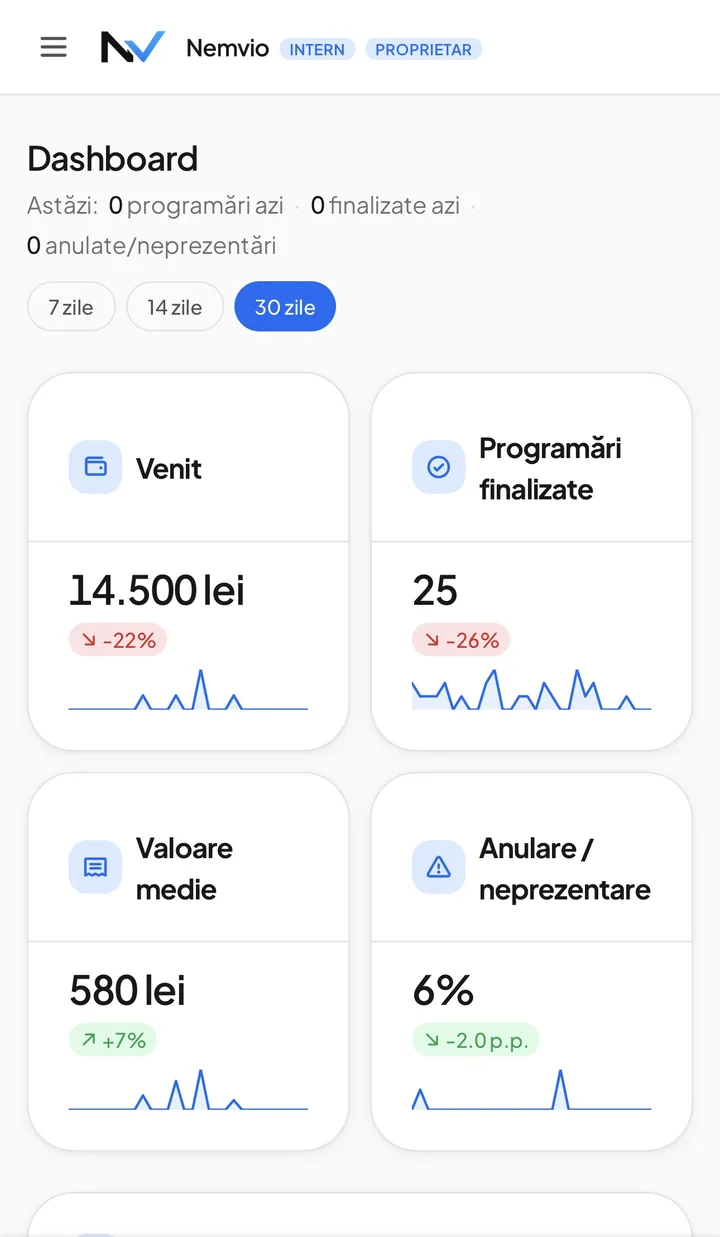
Dashboard
See your results, at a glance
The virtual assistant connects directly to the panel: bookings, orders, and conversations land here automatically. See revenue, completed bookings, and cancellation rate the second you log in: how did things actually go?
- Filter by 7, 14, or 30 days, with a single tap
- Charts for revenue, activity by hour, and activity by day of the week, see exactly when you work the most
- Top services, by revenue: what actually brings in money, not just what sells often
- Returning vs. new customers, with the percentage who came back in the last 60 days
- Bot performance: how many conversations turn into bookings and how often you take over manually
- Cancellations and no-shows, tracked as a percentage, not just counted
- Average booking value, so you know not just how many customers come, but how much they bring in
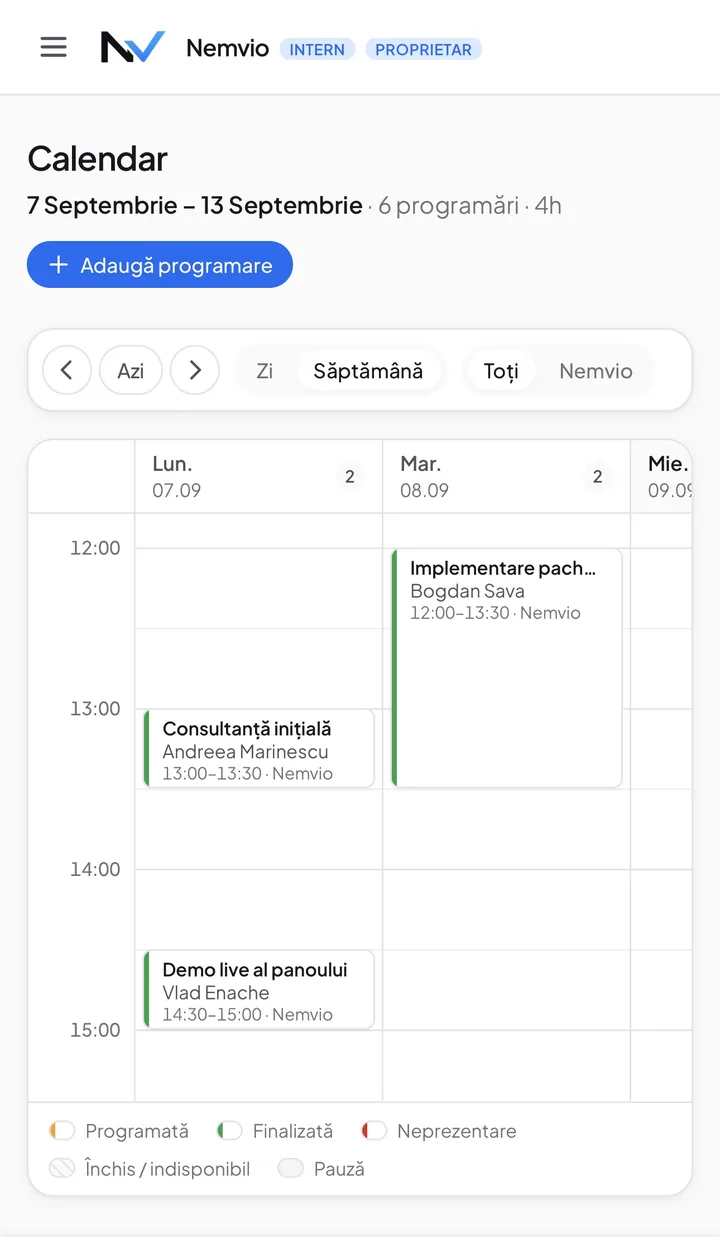
Calendar
Your week, organized visually
Every booking for the week, laid out by day and hour, with a color per status, not a list to read line by line. And if your team already keeps everything in Google Calendar, they don't have to give it up: each employee can connect their own account, and bookings made by the bot land there automatically too, not just in the panel.
- See free and booked hours at a glance, day by day
- Different colors for booked, completed, and no-show
- Add a new booking straight from the calendar, with a single button
- Individual Google Calendar sync, per employee, each one sees only their own bookings
- One-way only: the bot writes bookings, it never reads your personal calendar
- Cancel a booking from the panel and the Google Calendar event disappears too, automatically
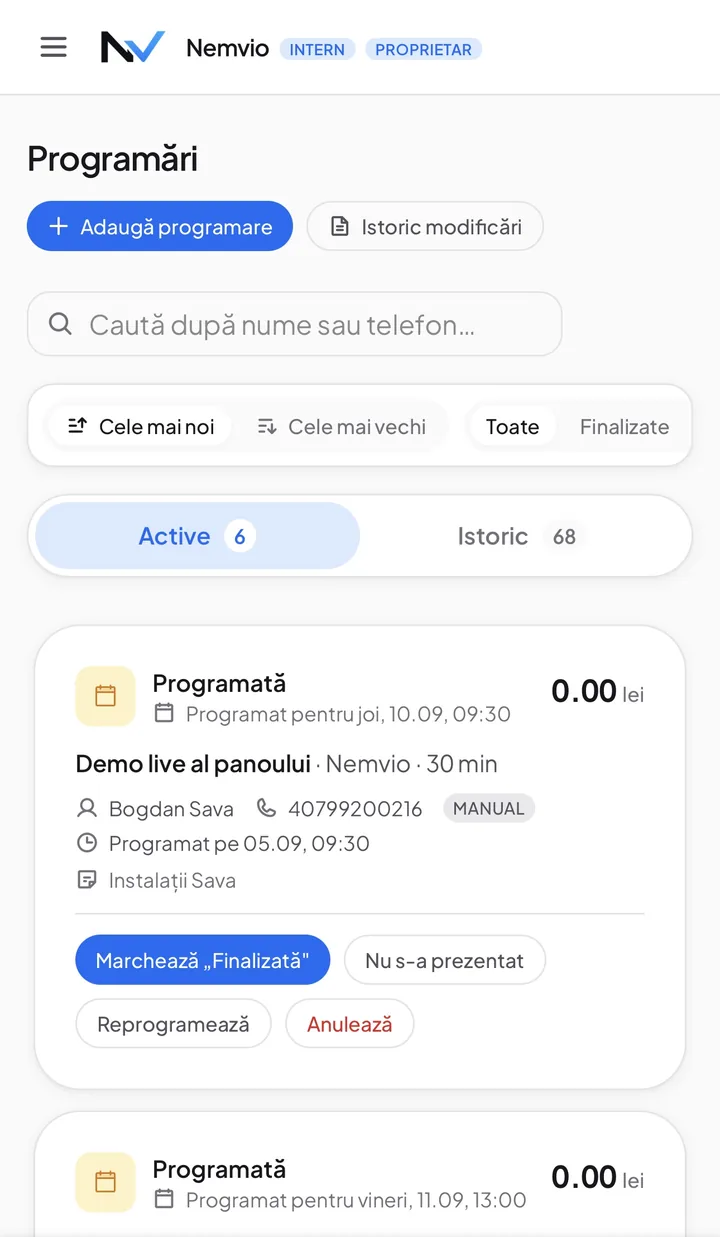
Bookings
Every booking, one single list
Every booking, active and completed, with the customer's name, phone number, and who handled it, you search by name or phone and sort by newest or oldest. Every card has exactly what you need to act on the spot, without opening anything else.
- Search instantly by name or phone, across the whole list
- Quick filters: active, completed, or all
- One tap to mark "Completed" or "No-show"
- Reschedule or cancel straight from the card, the bot notifies the customer automatically
- See the service, price, and who's assigned, without opening the details
- Bookings you make manually are marked separately from the ones the bot picked up
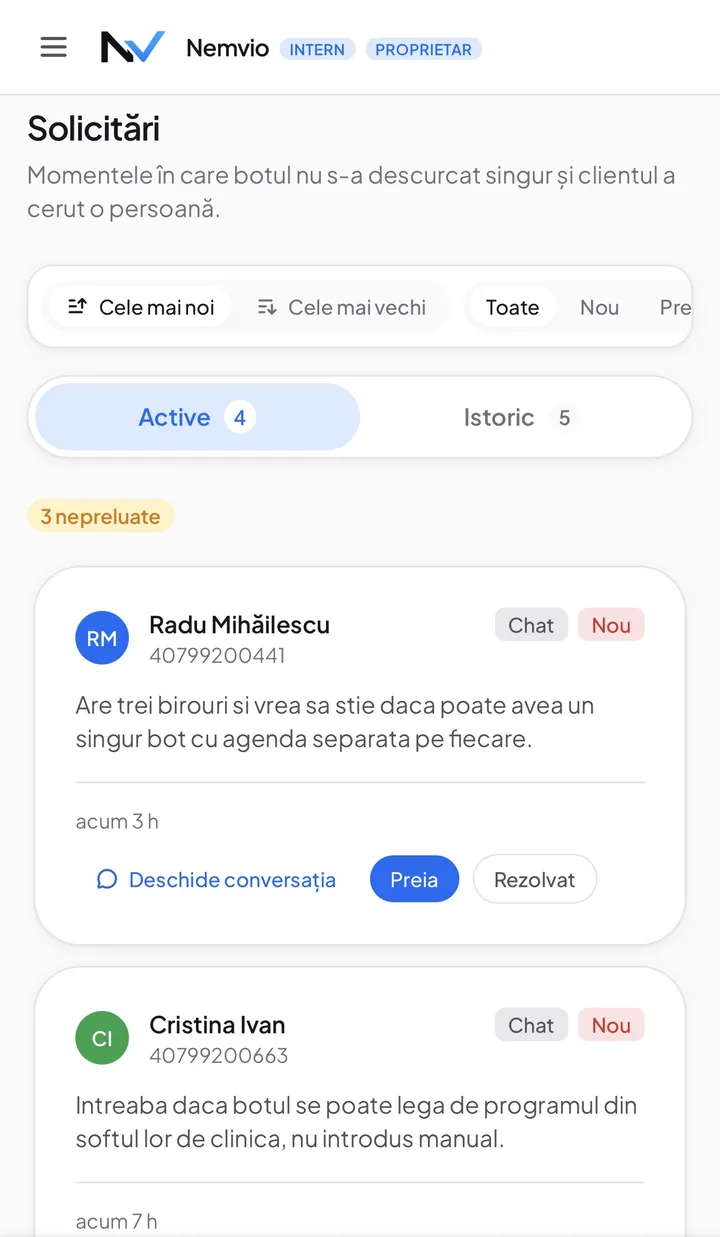
Handovers
The moments the assistant asks for help
A good virtual assistant also knows when to stop. When a customer asks for a person, or asks something outside bookings, the conversation lands here with the reason written out, and you get a WhatsApp message too. What matters is what happens if that message fails to go: the request is written into the panel regardless. The alert is a bonus, the panel is the record.
- The "untaken" badge says how many nobody has touched yet
- You take a request so colleagues know it is yours
- You jump straight into the conversation it came from, with the full context
- Comes from the phone too, not just from chat, into the same list
- The reason is written by the bot on a single line, so you can read it from the list without opening anything
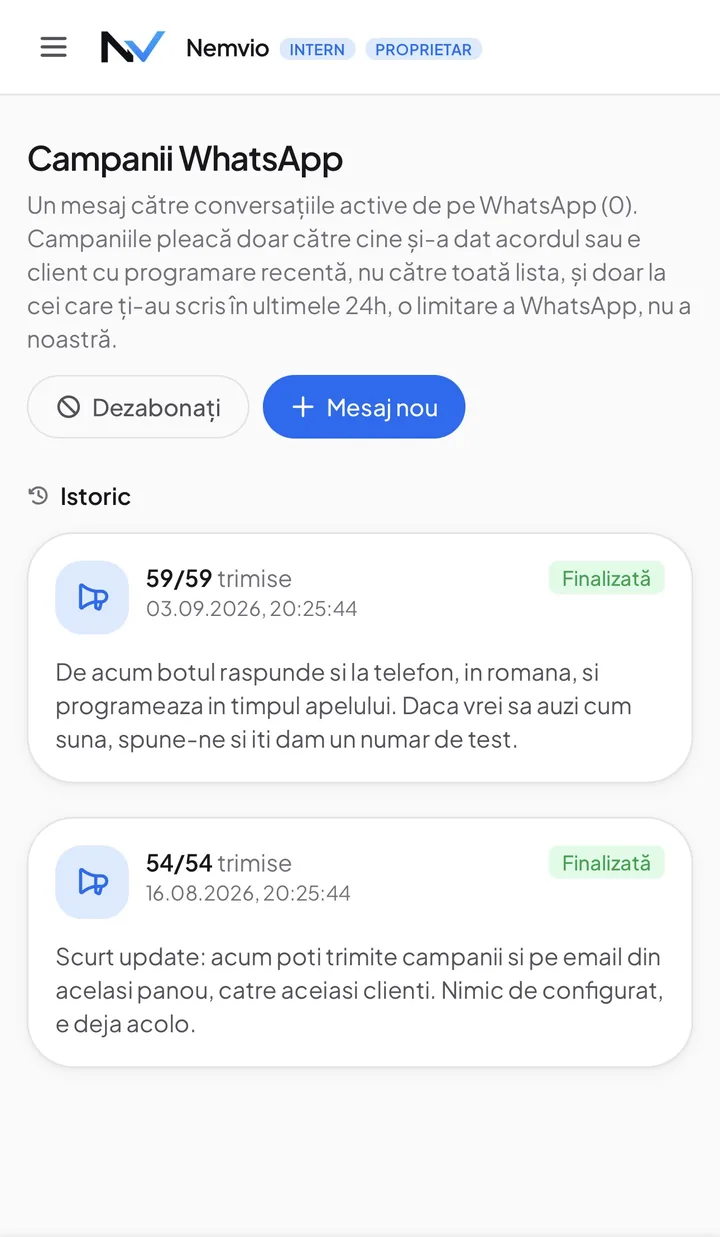
WhatsApp campaigns
One message to everyone, with the rules kept
You write once and it goes to everyone at once. The panel handles the part that causes trouble on its own: it goes only to people who gave consent or are customers with a recent booking, skips anyone who unsubscribed, and afterwards tells you how many received it, out of how many. How recent "recent" means is your call, in months.
- The unsubscribed are skipped automatically, there is nothing to get wrong
- STOP counts only as a whole message, so "cancel tomorrow's appointment, stop" cannot unsubscribe someone by accident
- You see how many received it, out of how many, for every campaign
- The history stays there, with the exact text that was sent
- It reaches everyone, not only whoever wrote to you recently
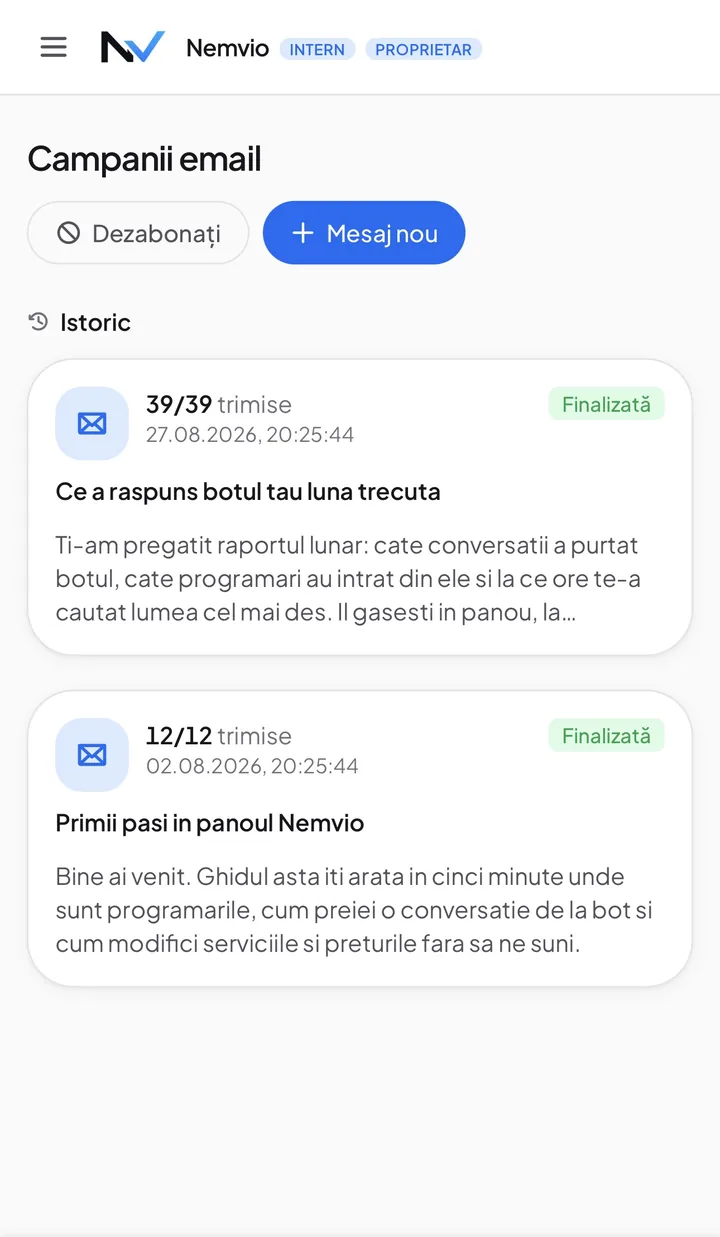
Email campaigns
The same thing, over email
The same customers, a different channel, the same panel. The sending address is built from your business name, so Salon Iris sends as salon-iris, not as us. The domain stays one we have verified, because mail from an unverified domain does not look better, it lands in spam. Verify your own domain and we use yours. And when someone hits reply, it reaches your contact address, not a mailbox nobody reads.
- The sender name is your business's, and so is the address before the domain
- A reply reaches your contact address, not us
- The same consent rule as on WhatsApp
- Works even when the WhatsApp bot is off, because it does not depend on it
- The history sits next to the WhatsApp one, not in another program
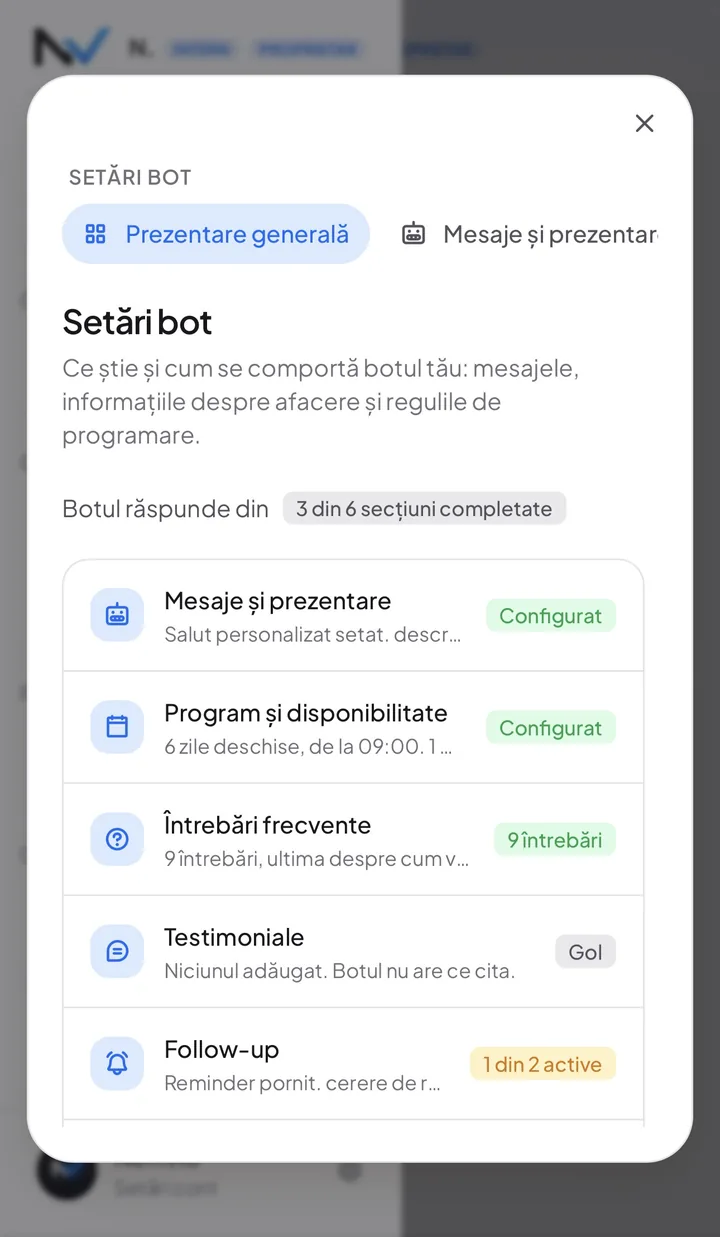
Bot settings
What the bot knows, written by you
The bot doesn't answer off its own back: it answers from what you filled in here. There are six sections, and the panel tells you how many are done, so you know where it still has to learn. Three of them only appear if your business works with appointments, so a shop is never asked to fill in each employee's hours.
- Messages and introduction, Hours and availability, Frequent questions, Testimonials, Follow-up, and Win-back invitations
- Each section briefly says what it currently holds, without opening it
- Change the hours or the prices and the bot uses them from the next message
- You don't need us to change any of it
What else is in it
Another 16 things, in the same panel.
Above are the screens you open daily. These are the rest: a call transcript, the notes only your team sees, who can do which service, what each colleague is allowed to look at. All of it comes from the start, not as modules to buy separately.
Live conversations
Every conversation, in real time.
- Pause the bot and reply yourself, without losing the thread
- Live updates, no refreshing to see a new message
- The assistant stops on its own once it has asked for a person, so you never talk over each other
Calls
What was said on the phone, in writing.
- The full transcript, not just the duration and the time
- Bookings made during the call are already in the calendar
- The same handovers as in chat, if they ask for a person
Customers
One profile, however many conversations.
- The whole history, not just the last interaction
- Search by name or phone, across the whole base
- See who comes back and who is booking for the first time
Internal notes
Context for your team, not for the customer.
- They stay on the profile, not lost in an old conversation
- Anyone on the team with access to customers sees them
Blocks
The numbers you do not want to serve.
- Block straight from the conversation, without hunting for the setting
- It can be undone any time, it is not permanent
Email inbox
Email, right next to WhatsApp.
- One place for messages, whatever the channel
- You reply from here, in your business's name
Automated emails
Confirmations and reminders, without you.
- They go out even to someone unsubscribed from offers: they belong to their own booking
- The wording is yours, editable from Bot settings
Products and services
The catalog the bot answers from.
- Change a price and it applies from the next message
- The duration decides how much of the calendar the service takes
- A service taken off the list stops being offered for booking
Services per employee
Who can do what.
- With no rule here, anyone can do a service
- You only set it where a restriction genuinely exists
Time off and closures
The days nobody works.
- Time off removes only that person's hours
- A business closure removes the whole day, for everyone
Manual booking
You add a booking yourself, under the same rules.
- It is marked apart from the ones the bot took
- You cannot put two people in the same slot
Testimonials
What customers say, in the bot's mouth.
- The bot quotes only what you put there
- You can remove them any time, without touching anything else
Win-back invitations
The customers who stopped coming.
- On or off from one place, in Bot settings
- It follows the same consent rules as a campaign
Team accounts
Everyone with their own account.
- You see who did what, not just that it was done
- Remove someone from the team and their sessions drop immediately
Per-employee permissions
Not everyone sees everything.
- Granted by section, not all or nothing
- Changed any time, without rebuilding the account
Two-step authentication
A password is not enough.
- Required of every account, not only yours
- Your customers' data sits behind it, not just the login screen